
KGI Ventures
Turned every signed contract into a live project, with expenses that file themselves.
The vision
Every deal visible in one place, from the signature to the last invoice, to every team that touches it.
KGI Ventures buys, sells and builds real estate, with many projects running at once. As it grew, signed contracts sat as PDFs with nothing pulled out of them. Every new project in Monday.com was set up by hand.
Expenses sat in QuickBooks, categorized inconsistently. No department could see how the others’ projects were going.
One master board
One source of truth, mirrored to every team.
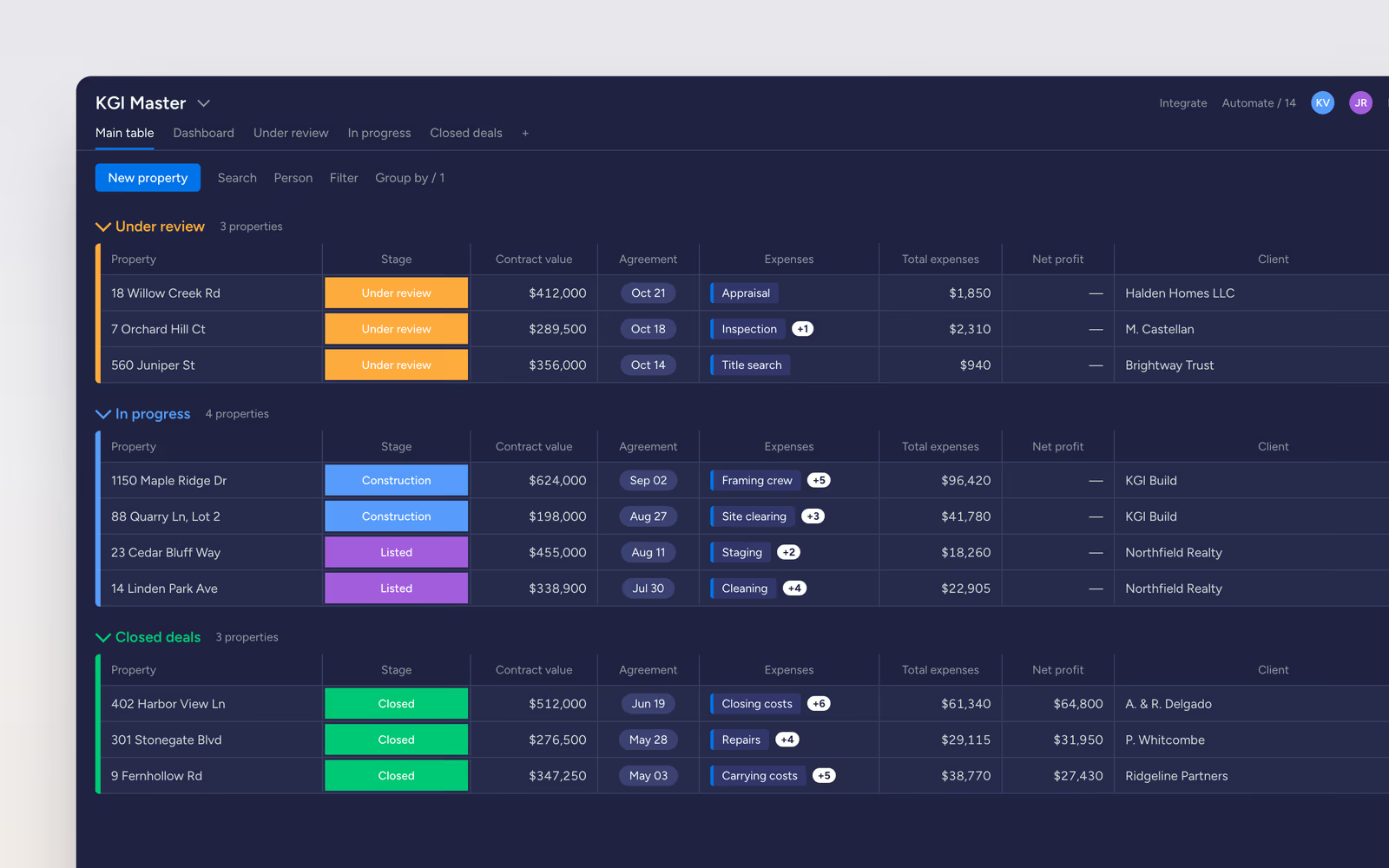
We built KGI a master board in Monday.com that holds every project. Its data is mirrored into stage boards for Under review, In progress and Closed deals, so each department works only on the projects at its stage while everything stays in sync.
DocuSign, QuickBooks and Monday.com are joined in one chain, so contracts and costs arrive on the master board on their own.
How it fits together
- Monday.com
KGI Master board
Every project, with its stage, contract value and costs.
Under review
- DocuSign
Signed contracts
Each signed contract becomes a new project.
- QuickBooks
Expenses
Every new expense lands on its project.
- Monday.com
Stage boards
Under review, In progress and Closed deals, mirrored.
- Monday.com
Dashboards
Costs and progress, rolled up for every team.
Contracts
A contract is signed. The project exists before anyone opens Monday.
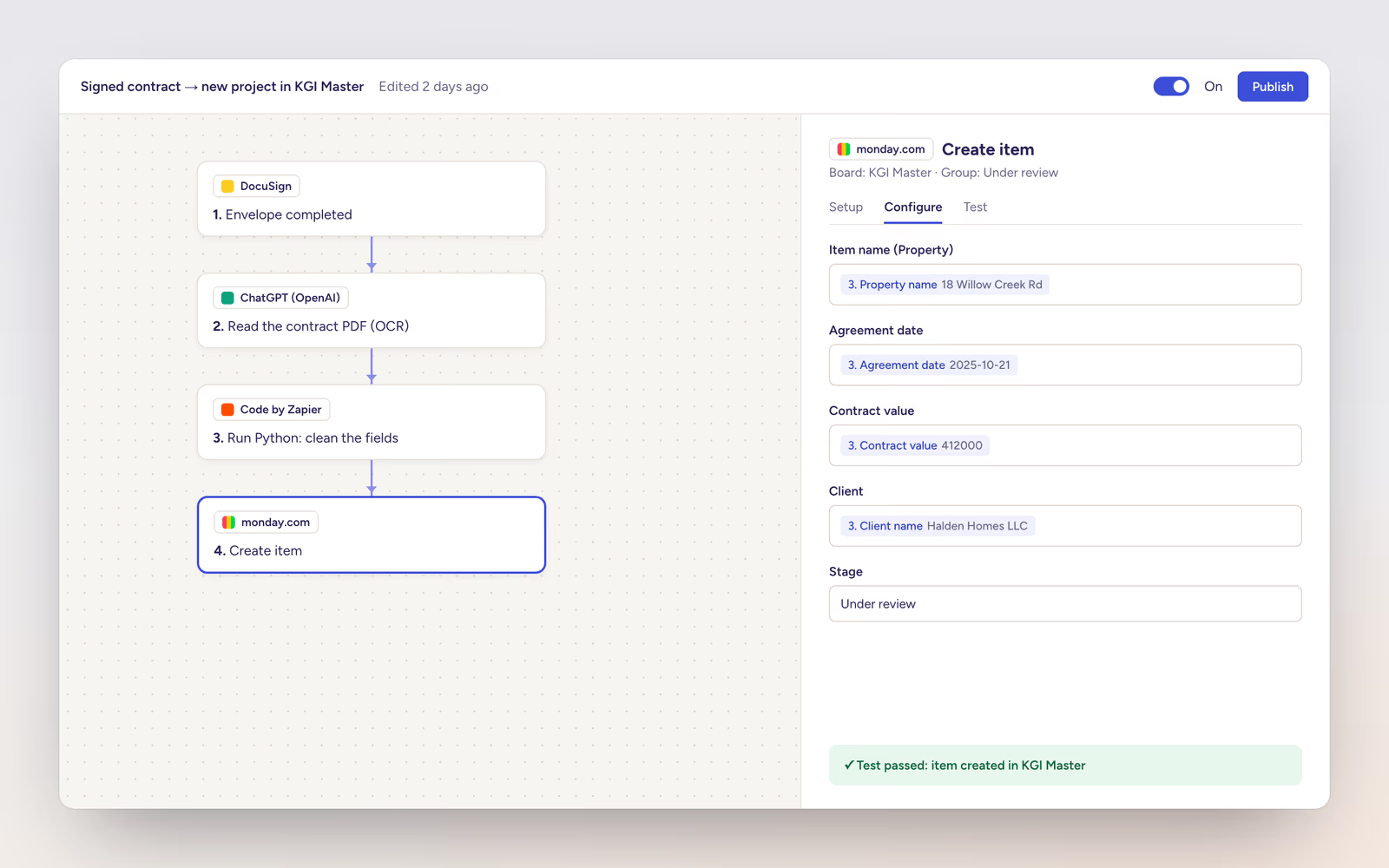
When a contract is signed in DocuSign, the automation fetches the PDF and reads it with OCR. It pulls out the property, agreement date, contract value and client, cleans every field to one format and creates the project on the master board. OCR output is messy. That clean-up step is what keeps the board worth trusting.
From signature to project
- 01DocuSign
A contract is signed
KGI and the other party sign the agreement.
Purchase agreement
- 02OCR
The PDF is read
Property, agreement date, contract value and client are pulled out.
- 03Zapier
The fields are cleaned
Formatted the same way, so every project reads alike.
- 04Monday.com
The project is created
On the master board, at the start of its life.
Under review
- 05Stage boards
Every team sees it
Mirrored to the board for its stage, with expense tracking ready.
Expenses
Every expense in QuickBooks lands on its project in Monday.
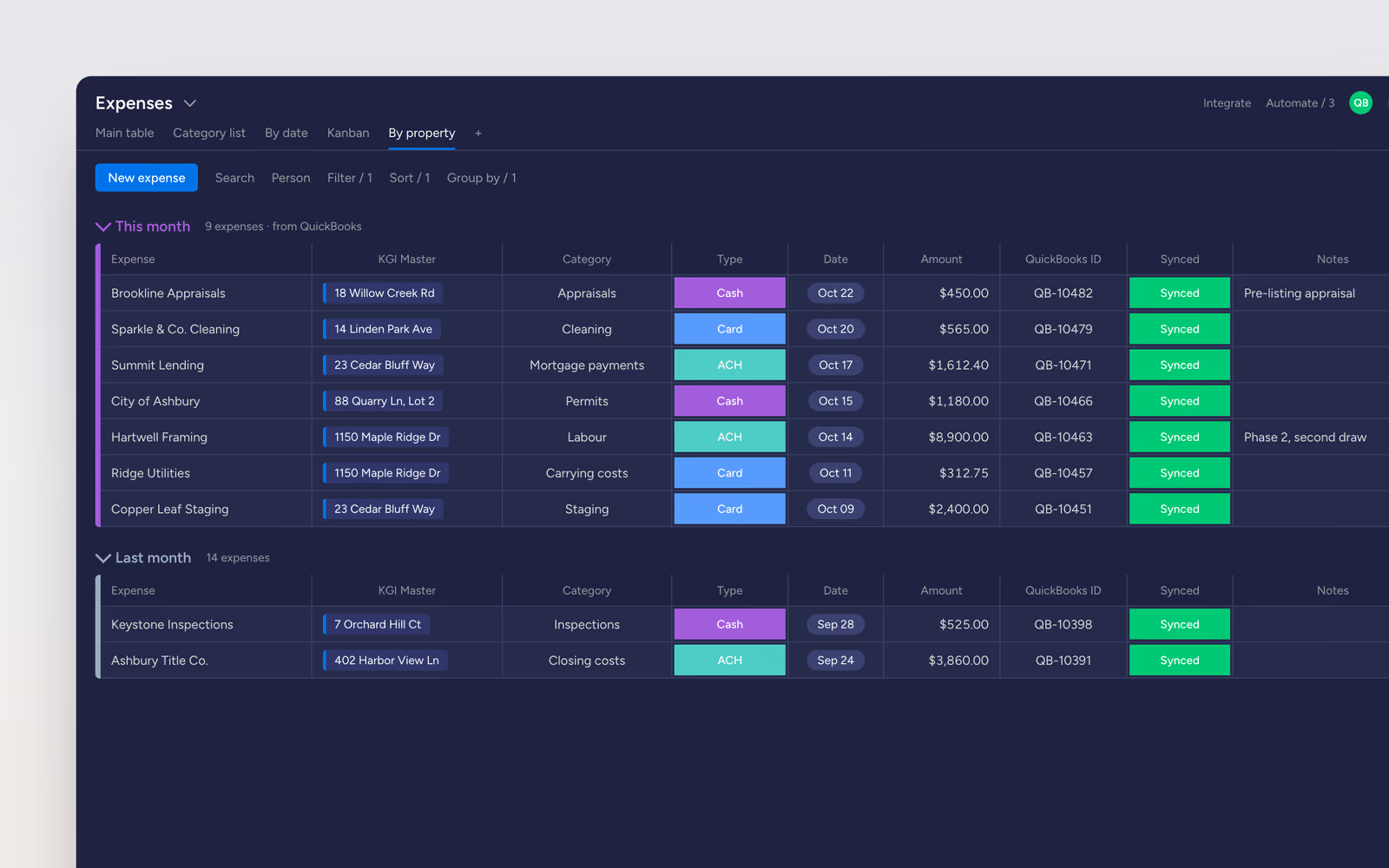
Any new expense in QuickBooks triggers the automation, which sends it to the expenses board in Monday.com, categorized and linked to its project by ID. Each one rolls up into the project’s totals and the financial dashboards, so costs are visible as they happen.
Outcome
1 master board, the single source of truth for every project
Sign a contract in DocuSign and the project is live in Monday.com. Expenses file themselves.
Inside the build
KGI Master: every property, sorted by stage.
Expenses: synced from QuickBooks, linked by property.
The contract automation, from DocuSign to Monday.com.
Closed deals: mirrored from the master board.
Don’t take our word for it.
Their focus on keeping me inside the loop and explaining every nitty gritty stuff in a simple way was amazing!