
Reddbell
Brought client meetings, projects, expenses and salaries into one Monday.com workspace that keeps itself up to date.
The vision
Every client, meeting and cost in one place. Without anyone keeping it up to date by hand.
Reddbell is a creative consultancy and digital services firm running short and long client projects side by side. As the client list grew, meetings scattered across apps. Nothing told a one-off project apart from a long-term client, and expenses were tracked by hand.
Payroll lived in spreadsheets, cut off from the projects it paid for.
One workspace
Every client’s meetings, projects and costs, in one Monday.com environment.
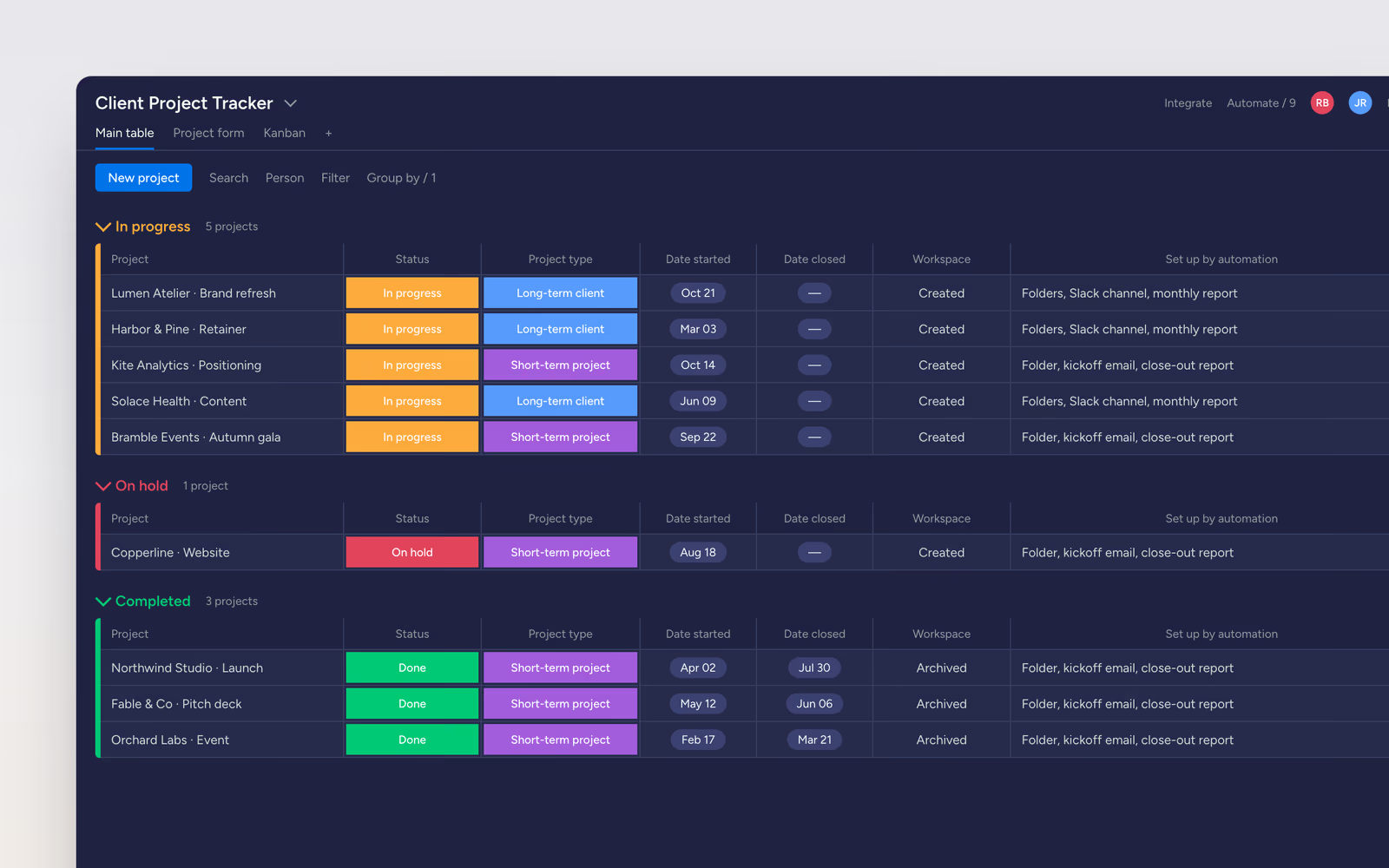
We built Reddbell a client workspace in Monday.com, joined to Otter.ai and to its accounting. A project tracker holds every client, sorted by stage. Meeting notes, expenses and salaries each have their own board, and all of them feed live dashboards for the leadership team.
How it fits together
- Monday.com
Client project tracker
Every client and project, sorted by stage.
In progress
- Otter.ai
Meetings
Transcripts and summaries, filed on the client.
- Monday.com
New clients
Classified as long-term or short-term on arrival.
- Accounting
Expenses
Every project cost, logged and charted.
- Monday.com
Salaries
Payroll, connected to projects and expenses.
Meetings and new clients
A meeting ends in Otter.ai. Its notes are already on the client.
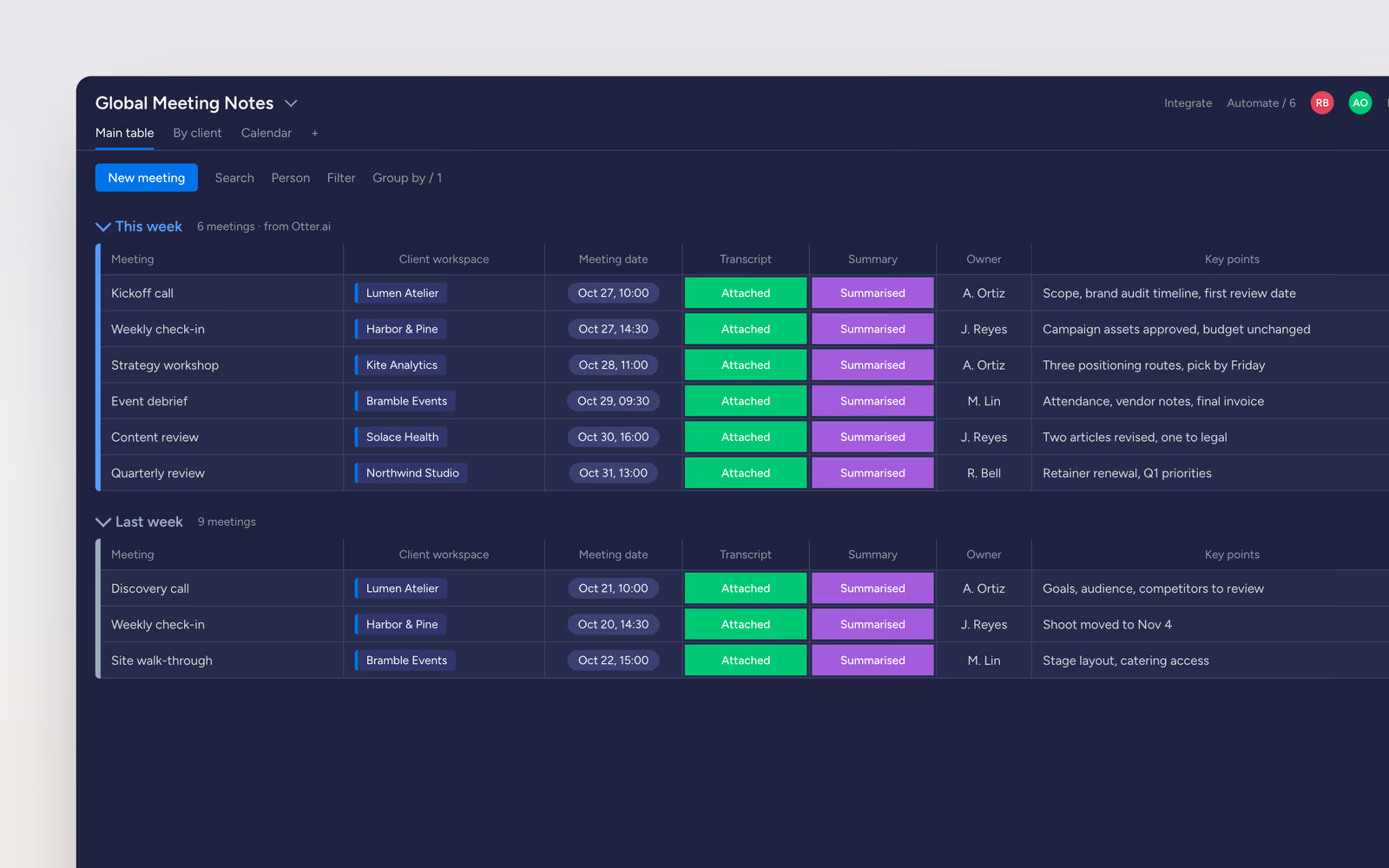
Every client meeting recorded in Otter.ai is pushed into its client’s workspace, with the transcript and a summary attached under the right project, so nobody uploads files by hand.
When a new client is added, the automation classifies it as a long-term client or a short-term project, using set rules such as contract length or revenue type. Each type gets its own folders, communication set-up and reporting.
From new client to running project
- 01Monday.com
A new client is added
On the project tracker, with its contract details.
Lumen Atelier
- 02Automation
It’s classified
By contract length or revenue type.
Long-term client
- 03Monday.com
Its workspace is set up
Folders, communication and reporting for its type.
- 04Otter.ai
Meetings file themselves
Transcripts and summaries, under the right project.
- 05Dashboards
Its costs report live
Expenses roll into the dashboards as they happen.
Expenses and salaries
Live dashboards for costs, margins and payroll.
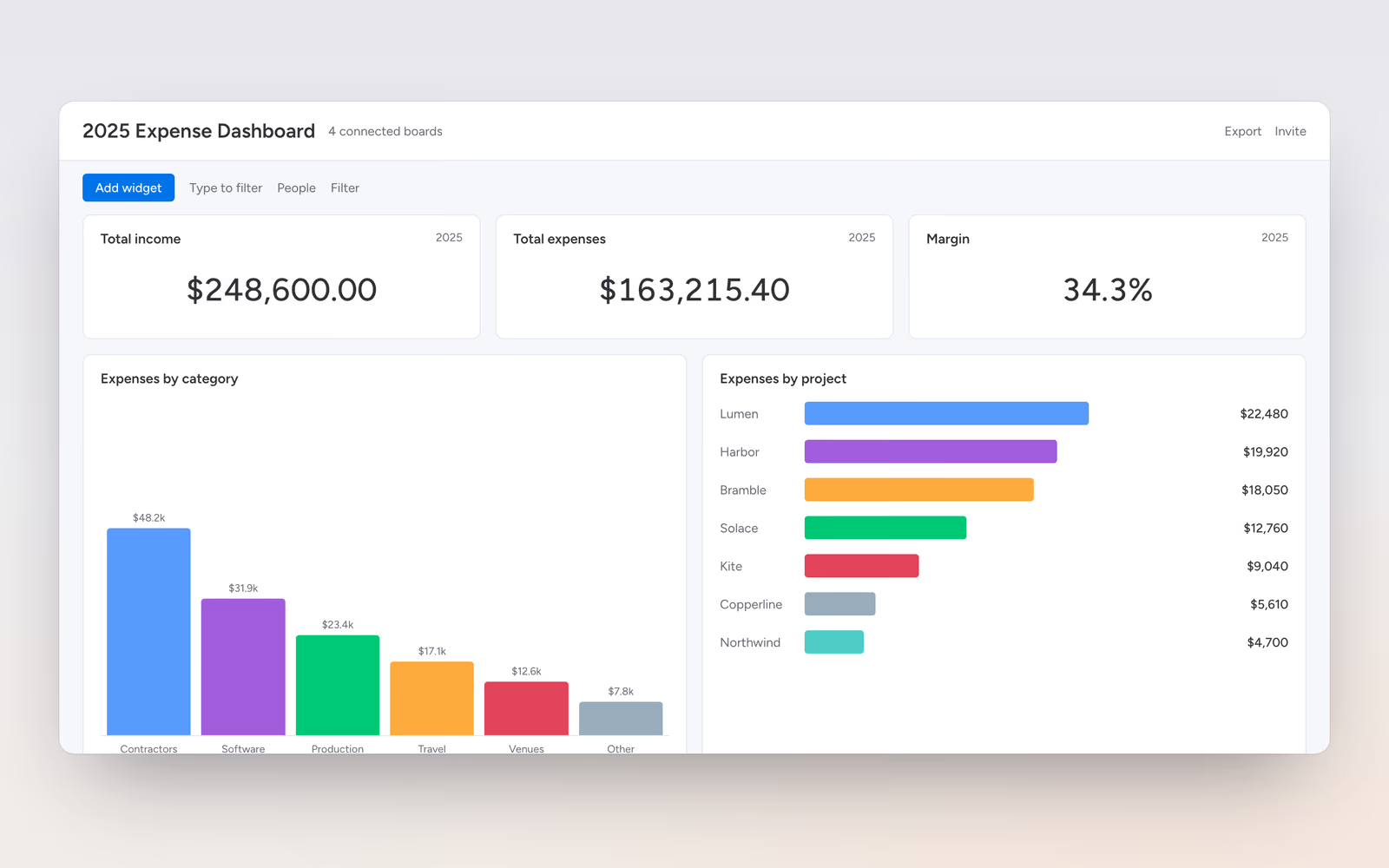
Every project expense is logged automatically and linked to the accounting automations. A live dashboard shows costs, margins and spending by project.
A salaries dashboard does the same for payroll. It updates the monthly reports and ties them to the expense and project boards, so every cost traces back to the work it paid for.
Outcome
1 Monday.com environment for meetings, projects, expenses and salaries
A Monday.com workspace where meetings file themselves, new clients set themselves up and costs report live.
Inside the build
The client project tracker.
Global meeting notes, filed from Otter.ai.
The 2025 expense dashboard.
The 2025 salaries dashboard.
Don’t take our word for it.
Their focus on keeping me inside the loop and explaining every nitty gritty stuff in a simple way was amazing!