
It's not a mirage if it streams
Our office TV is a 2014 JVC on Android 4.4. We gave it a home screen in our brand and put our Notion board on it. It updates live, runs on the remote, and took a day.
There's a TV on our studio wall. It's a 2014 JVC running Android 4.4, and for as long as we've had it, it showed the same stock launcher full of shortcuts nobody opened.
We walk past it all day. That's a lot of screen showing nothing.
So we gave ourselves one day. Could we make it look like Mirage? Could it tell us something we'd actually want to know?
Writing our own launcher
The first problem was age. Android 4.4 is old enough that most modern apps won't install, and most launchers dropped support years ago. Nothing off the shelf fit, so we wrote one.
It's plain Java with no libraries, sized for a 1080p screen and 1 GB of memory. The first build was 37 KB.
Everything works with a D-pad. The focused tile grows and lights up. Home jumps back to the top. Menu on any app opens its settings. Where the website has "Book a call", the TV has a Switch input button, because on a TV the thing people do most is change to HDMI.
None of us set up an Android toolchain locally. We push each change to GitHub, a cloud build compiles and signs it, and we install it on the TV over the network.
Making it look like us
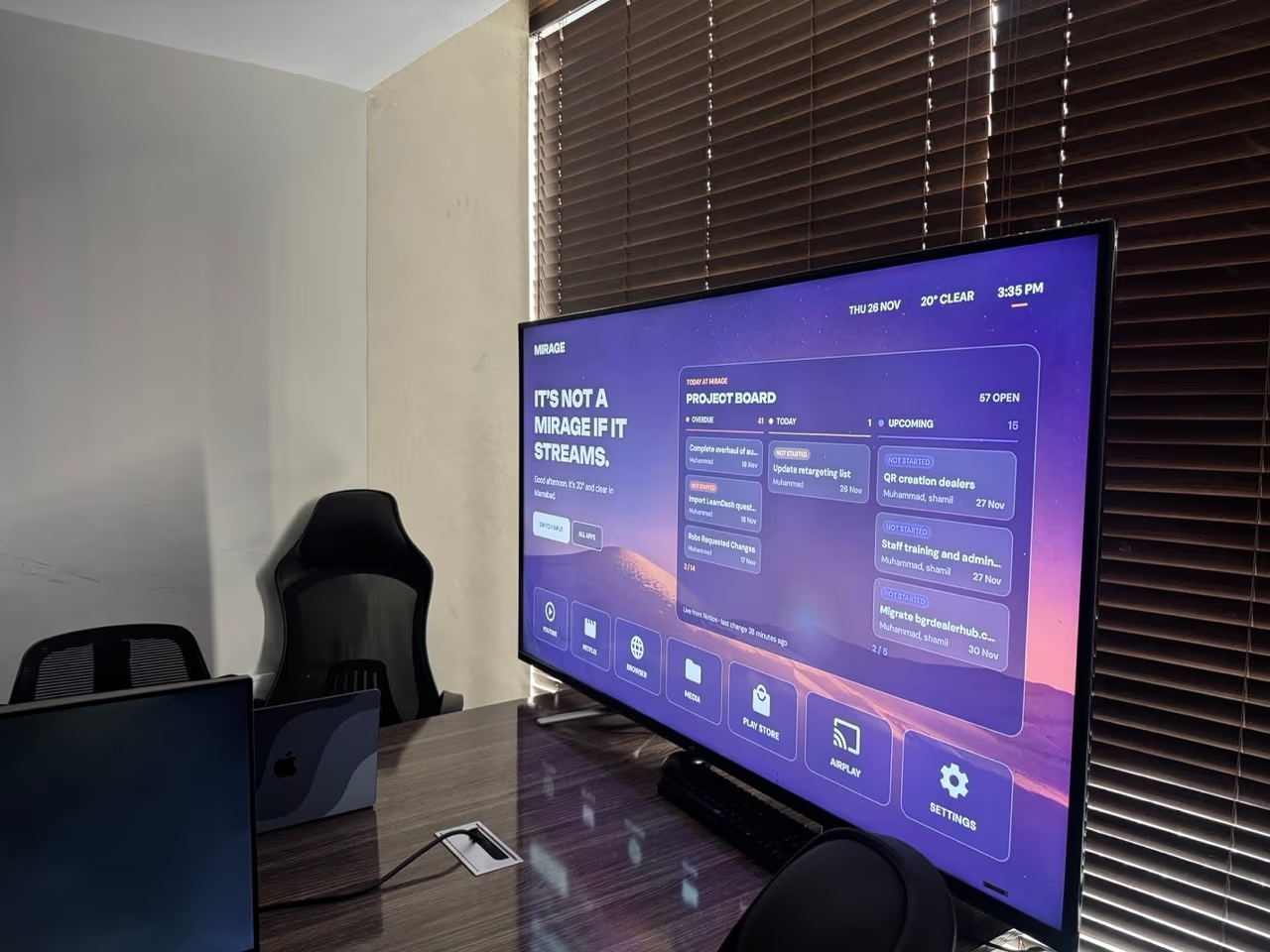
The home screen is the website's hero, rebuilt at TV size. The dune photo fills the screen with a warm glow on the ridge. The wordmark is Unbounded, the text is DM Sans, and the colors are the site's plum, off-white and signal orange.
The site's line needed one word changed:
It's not a mirage if it streams.
Under it there's a greeting with the time and the weather. Below that are the apps we use, each with an icon drawn to match, instead of seven logos that clash.
Putting the work on the wall
A good-looking home screen is still a screensaver. We wanted the TV to show what we're working on.
Our projects live in Notion, so the TV now shows our project board. Every open task sits in one of three columns: Overdue, Today and Upcoming. Each task shows its owner and due date, plus a small tag if it's waiting on a review or hasn't started.
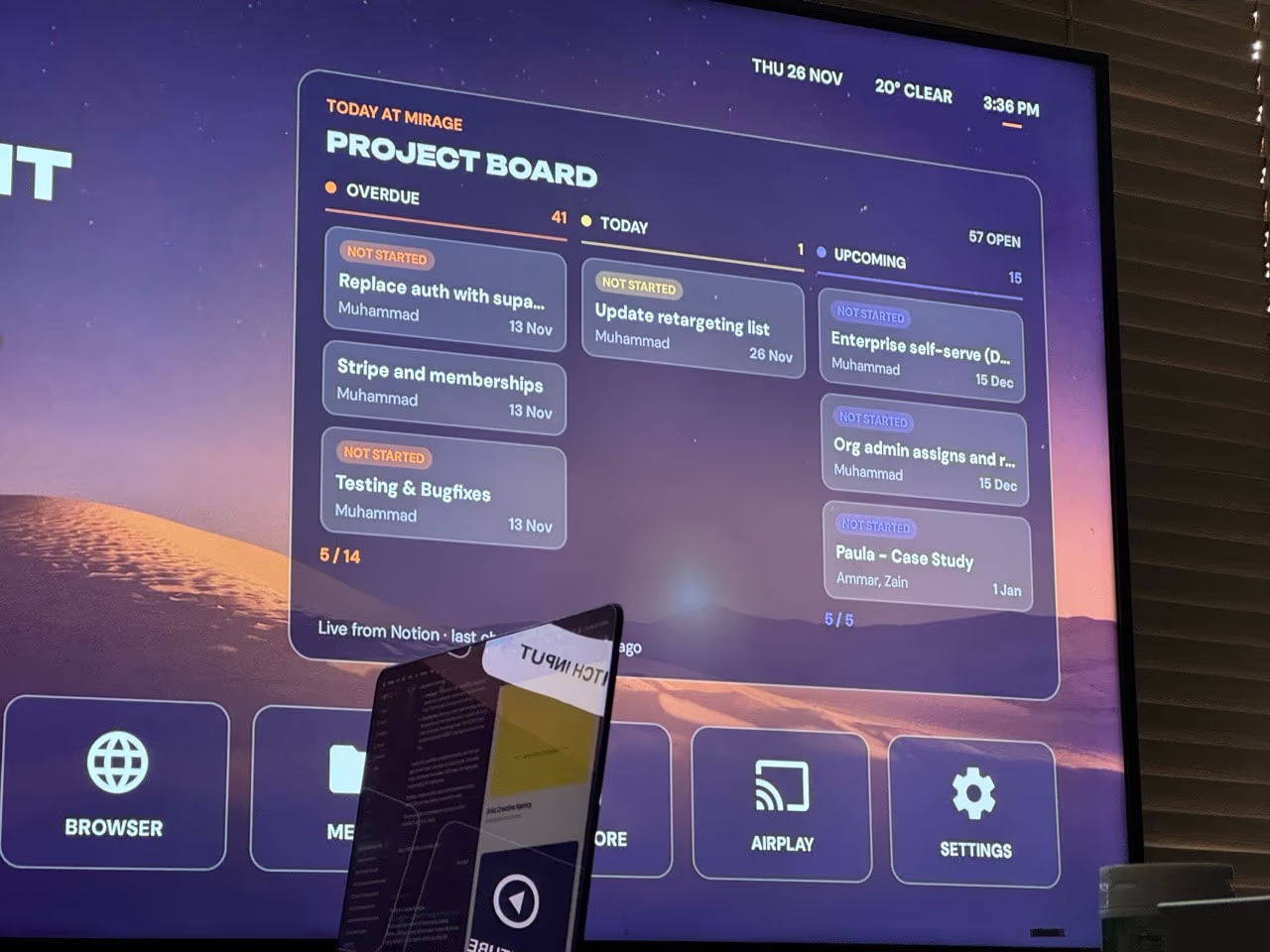
The TV never talks to Notion directly. A small service on our server reads the task database and sends the TV a short list. We set it up this way because:
- The Notion key stays on the server, not on a TV anyone can walk up to
- The service reads the database's columns itself, so renaming a status in Notion needs no update
- "Open" means To-do and In progress, minus the Backlog, so the board shows this week's work
Getting a 2014 TV onto today's internet
This was harder than the design. Android 4.4 doesn't turn on modern encryption by default, and it's older than the root certificate most of today's web relies on.
So the app turns on TLS 1.2 itself and trusts exactly one root certificate, the one our server uses. The connection is encrypted and verified, on a TV that's twelve years old.
From every five minutes to live
The first version asked for new tasks every five minutes. We'd watch a teammate update Notion, then wait for the wall to catch up. It felt slow.
Now the TV keeps a request open to the server, and the server answers as soon as something changes. Notion tells the server about edits through a webhook, and the server also checks every 20 seconds in case a webhook goes missing. Rename a task in Notion and the wall shows it within seconds.
If the network drops, the board stays up, marked offline, and reconnects on its own.
What happens when you press OK
The board on the home screen cycles through every task, three per column at a time. Press OK and the full board opens:
- Every open task, in full-height columns you move through with the remote
- A filter row with each person and how many tasks they have open
- OK on a task opens its details and a QR code that takes you to it in Notion on your phone
The QR code turned out to be everyone's favorite. You spot a task on the wall, scan it, and you're in it.
Notes to ourselves
- Old hardware ruled out most options early, so each decision was quick.
- A small service in the middle kept the TV simple and the Notion key off it.
- Updates that arrive on their own change how people use a screen.
- The TV's clock was two hours wrong the whole time. Its time zone was set to Bahrain.
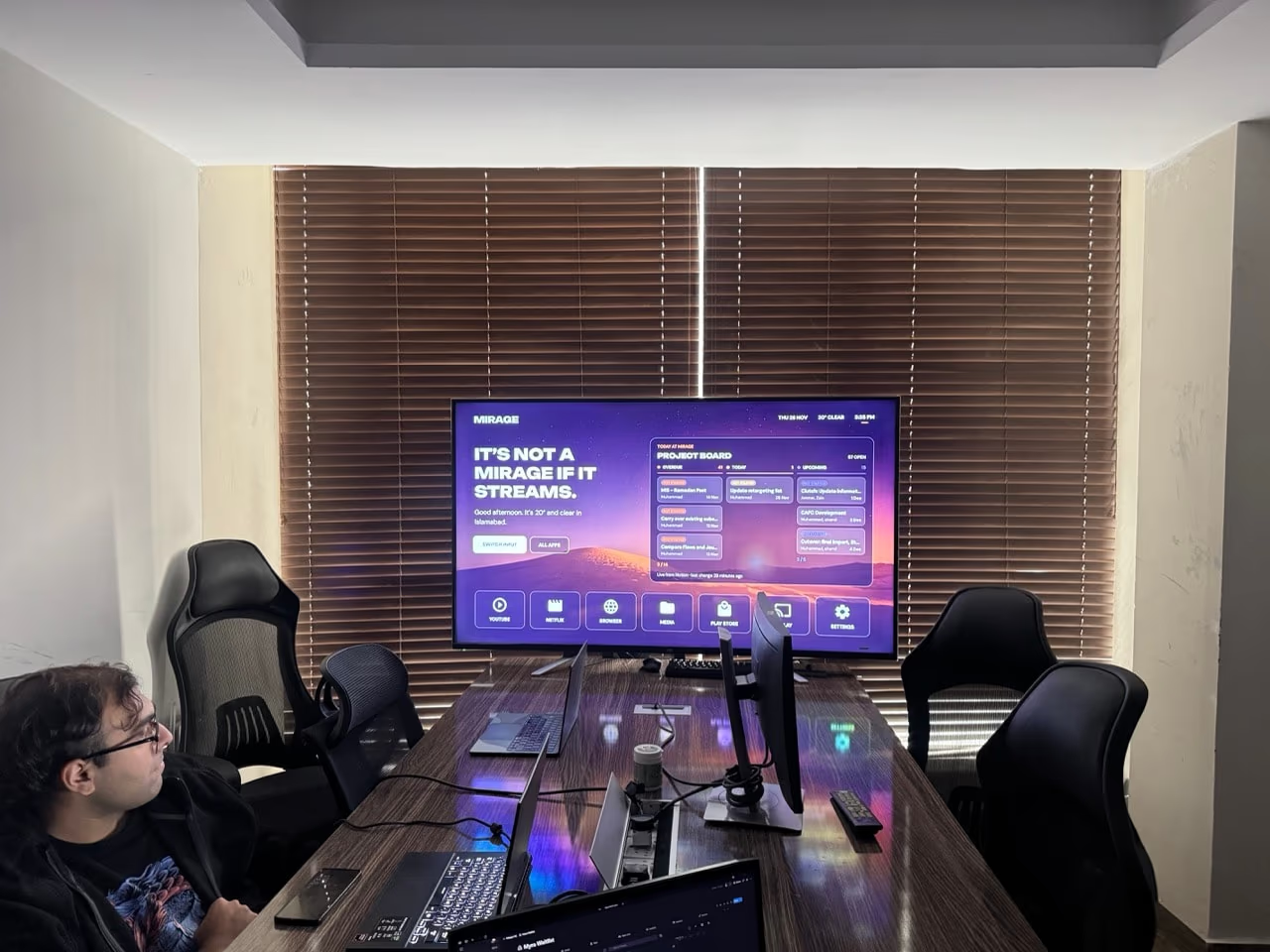
The wall that showed nothing now shows our week. It took a day. It's not a mirage if it ships.